
Graph Builder
Build a loop. Ship it as an agent.
The Graph Builder lets you design how an agent works, not just what you tell it. Lay out its steps as a diagram, starting from a blank canvas or one of the built-in loops, and add the checks it runs and what happens when a step fails. Publish it to the Agent Marketplace and it runs like any other agent.
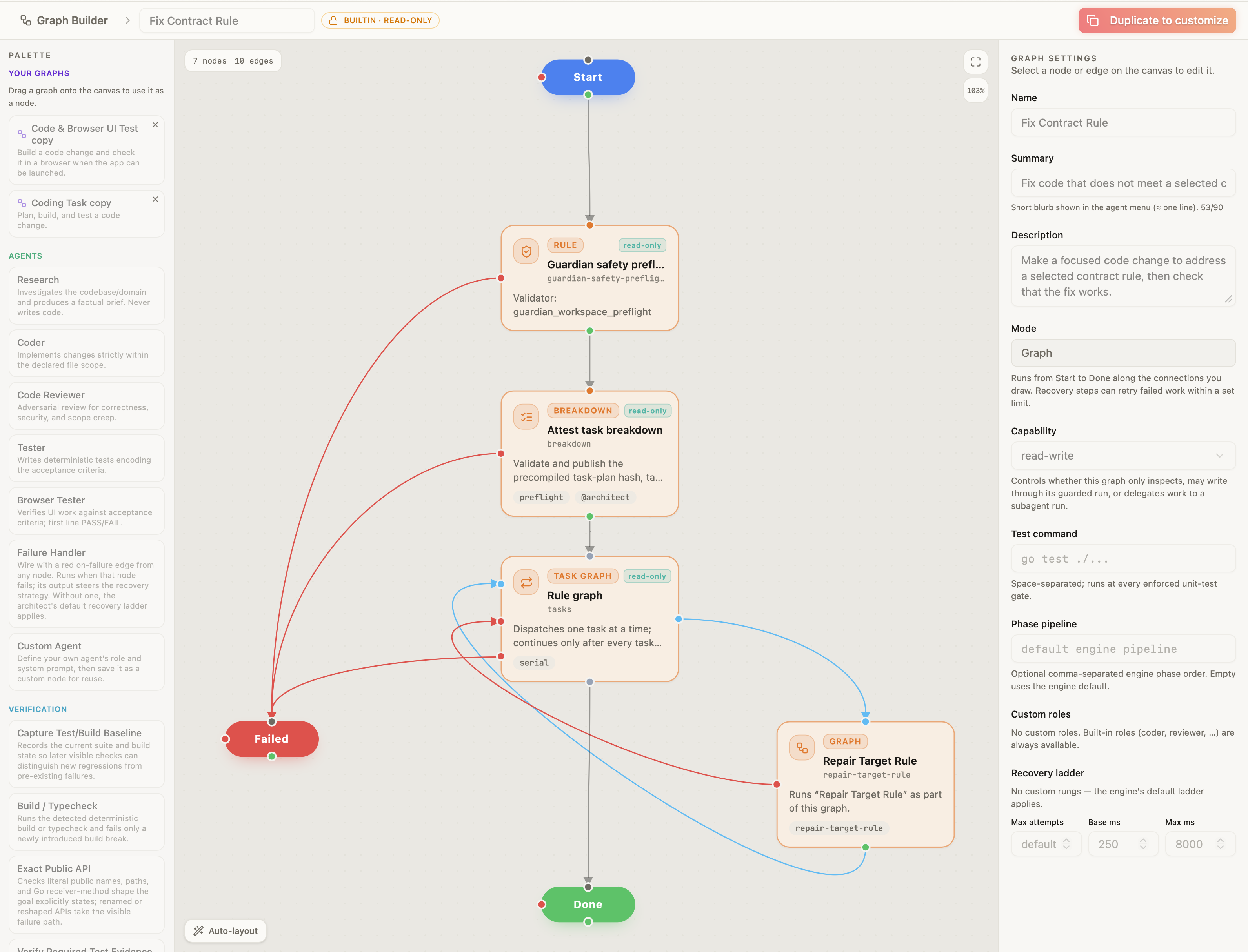
Your prompt said run the tests. Your agent didn’t.
A prompt is a suggestion. You can write “always run the tests,” and the agent can still skip it. In the Graph Builder, running the tests is a step in the loop, not a line in the prompt, so it’s a rule the agent has to follow. If the tests fail, the loop takes the failure path you set instead of reporting done.
What is a loop?
An agent on its own takes your prompt and works until it decides it’s done. You can ask it to run the tests or check its work first, but that’s a suggestion, and the agent can skip it.
A loop gives the agent a process to follow. It sets the steps to take, the checks to run after each one, and what happens when a check fails. If the tests fail, the agent fixes the problem and tries again. If it keeps failing, the loop stops and asks you.
The agent still does the work. The loop decides whether the work is finished.
Agent does the work
Follow the next step in the process.
Run the checks
Test the work before moving on.
Next step or done
Finish only when all required steps pass.
Fix and try again
The agent fixes the problem, then runs the checks again.
↶ Back to the checksStop and ask you
The loop pauses when it reaches its retry limit.
01 / Graph Builder
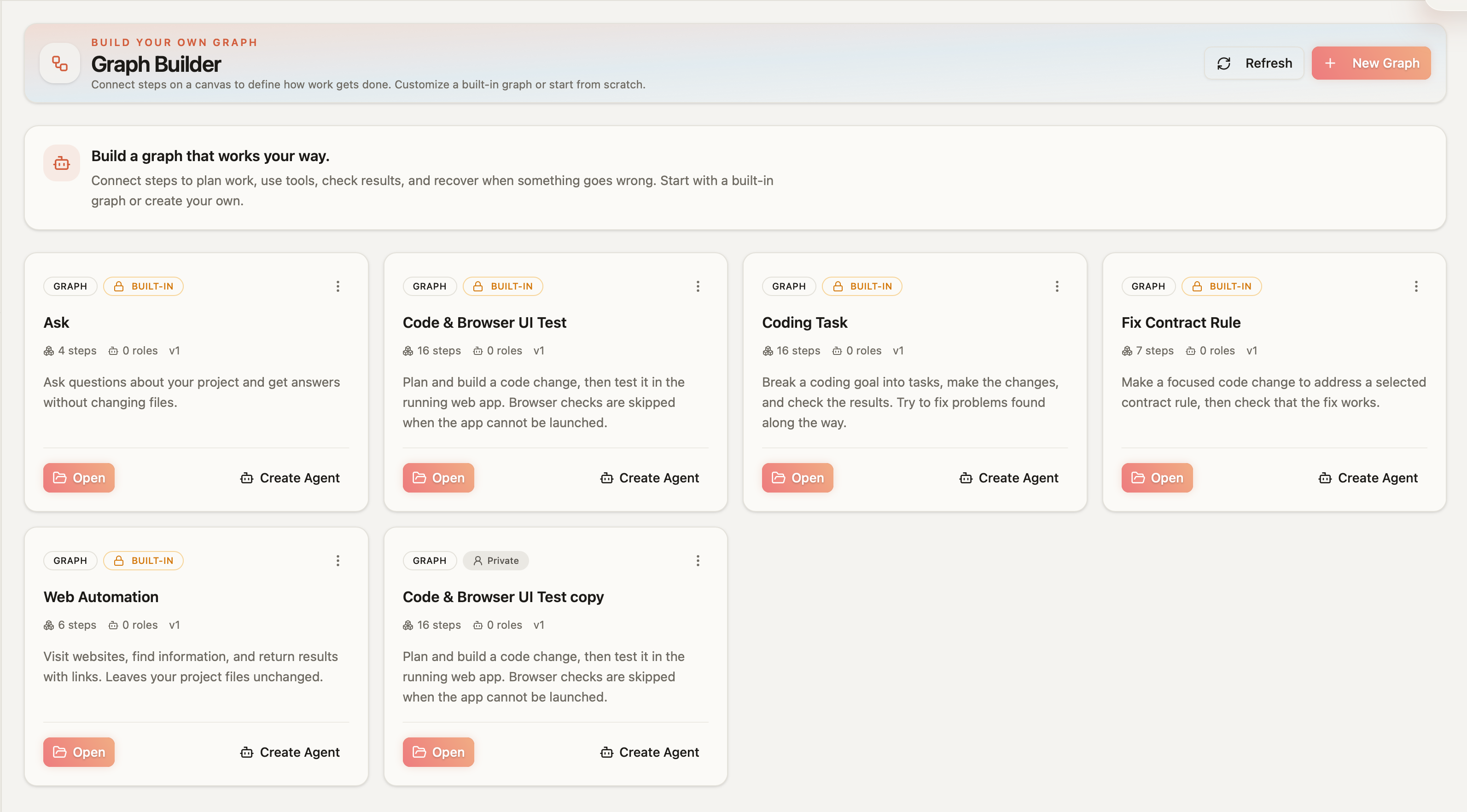
Start from a built-in loop, or a blank canvas
Panolayer comes with loops for common work, including Ask, Coding Task, Coding Task + UI Testing, and Figma MCP UI Build. Open one, change what you need, and save it as your own. Or start from nothing.
02 / Graph Builder
Add the steps you need
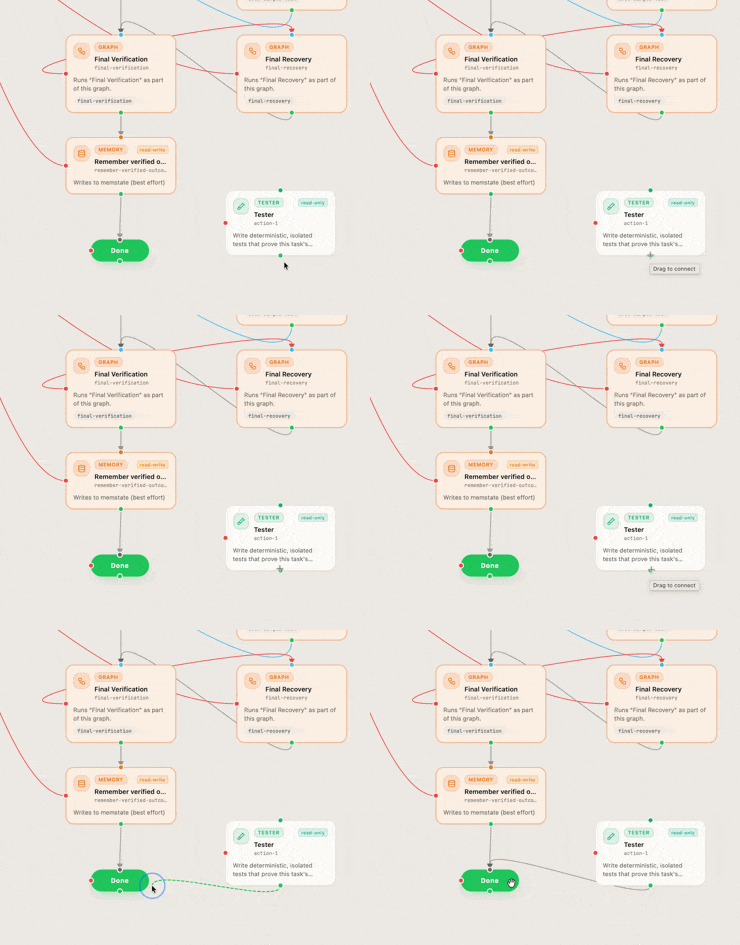
Each step is a node on the canvas. Add agent steps, checks like tests, builds, type checks, and browser checks, and approved command-line tools and MCP servers. Then add the control around them, with conditions, waits, retries, recovery, and points where the loop stops and asks you.
03 / Graph Builder
Run it, or share it
Before a loop runs, Panolayer checks that every connection is valid, every step has the permissions it needs, and every path ends in either done or failed. A loop with no failure path won’t run. Once it passes, Panolayer Agent runs it step by step, following the paths you set. Publish it to the Agent Marketplace, and anyone can install it and run it like any other agent.
Questions
Do I need to write code to build a loop?
No. You build a loop by adding and connecting nodes on the canvas. Connecting your own command-line tools or MCP servers may take some configuration.
What can a node do?
Run an agent, run a check like tests or a build, call an approved command-line tool or MCP server, branch on a condition, wait, retry, recover from a failure, read or write project memory, or stop and ask you.
Who runs my loop?
Panolayer Agent. It works through your loop step by step and follows the paths you set when a step passes or fails.
Can I keep a loop private?
Yes. A loop stays private unless you publish it to the Agent Marketplace.
What does it cost to run a loop?
Loops run on Panolayer Agent, so every run uses Panolayer Agent tokens. Each plan includes a set amount, and a longer loop with more steps and retries uses more of them.
See pricingDoes a published loop run on my API key or the installer’s?
The installer’s.