
Verify
Catch new regressions while your agents work.
Every time you save a file or an agent finishes a task, Panolayer checks the change against how your codebase actually fits together. It looks at the functions that changed, the code that calls them, and what each of those expects. You see what broke and why in seconds, and an agent can’t merge its work into your branch without your approval.
An agent changes getUser() to return null instead of raising.
It compiles and the tests for getUser still pass, but the six places that read user.name without a check don’t find out until staging.
How the Verification Engine works
Verification starts from the one thing that can’t be wrong about your code — the code itself.
It runs on your architecture, parsed from the source, so it knows each function, what calls it, and what it depends on. Panolayer tells new regressions from ones that were already there. With persistent memory, every correction you make stays with the project, so verification gets better the more you use it.
Parse your code
Work out what it expects
Check every change
New regressions kept separate from old ones
01
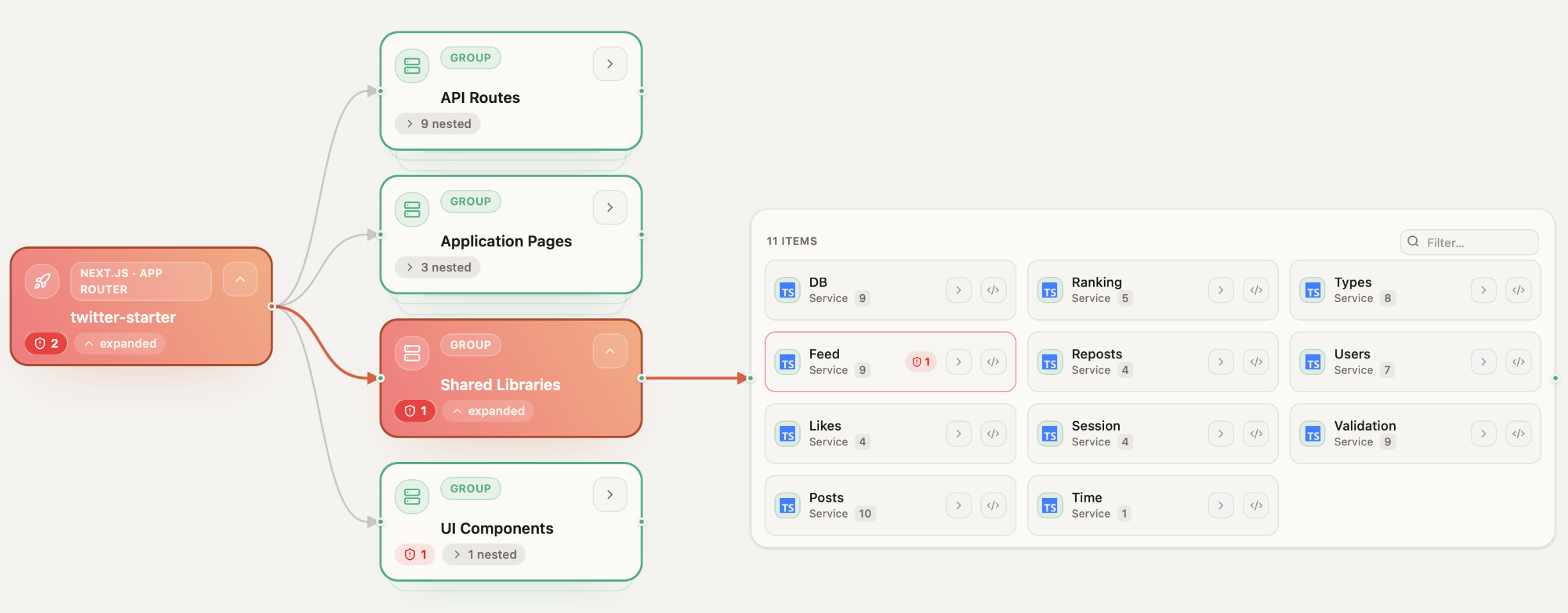
Build context from your code
An agent only sees the files it was given. Panolayer parses your repository the way a compiler would, including files, modules, functions, classes, imports, and the full call graph. It knows that getUser() is called from six places and exactly where each one is, because it resolved the symbols, not because a model guessed. This is the same architecture you browse in Architecture.
02
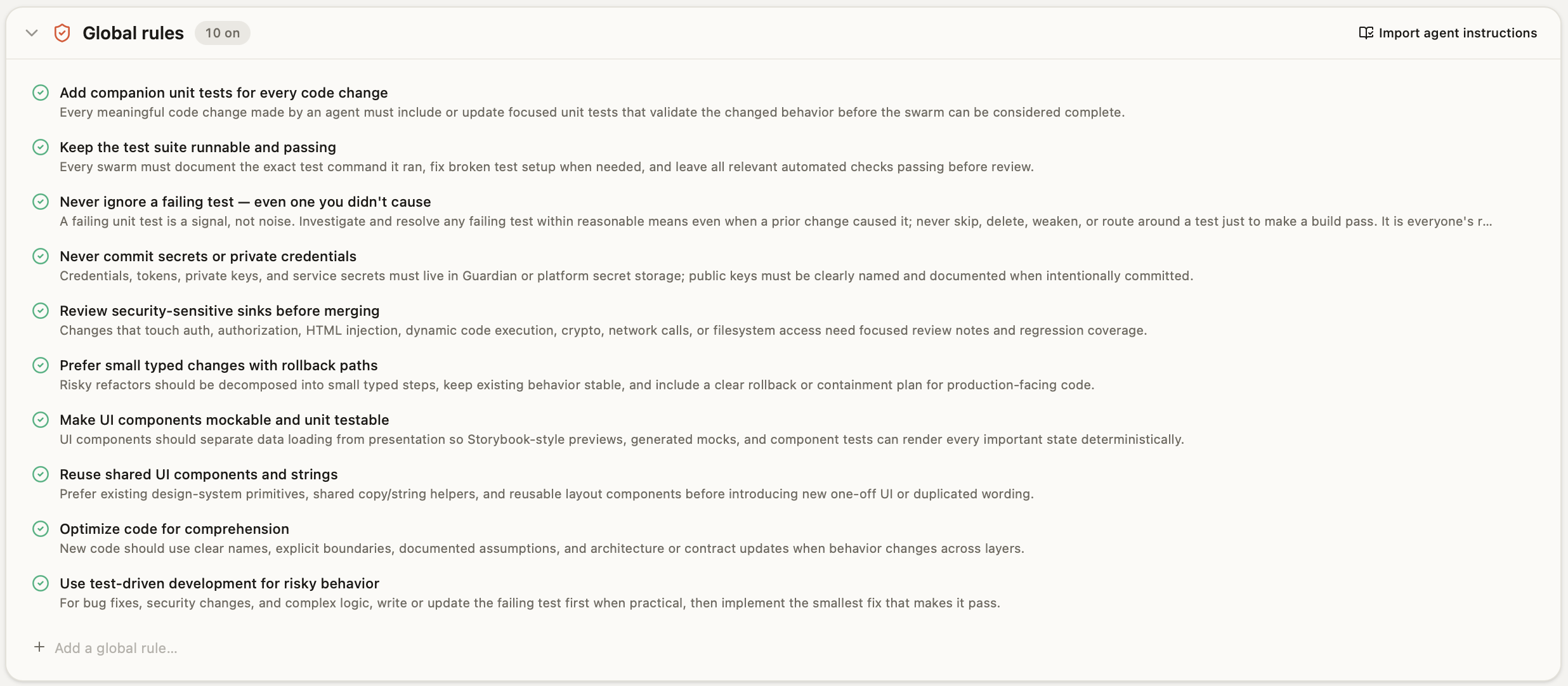
Work out what the code expects
With Panolayer’s persistent memory, rules are saved between runs, and you can add your own or correct the ones it gets wrong.
03
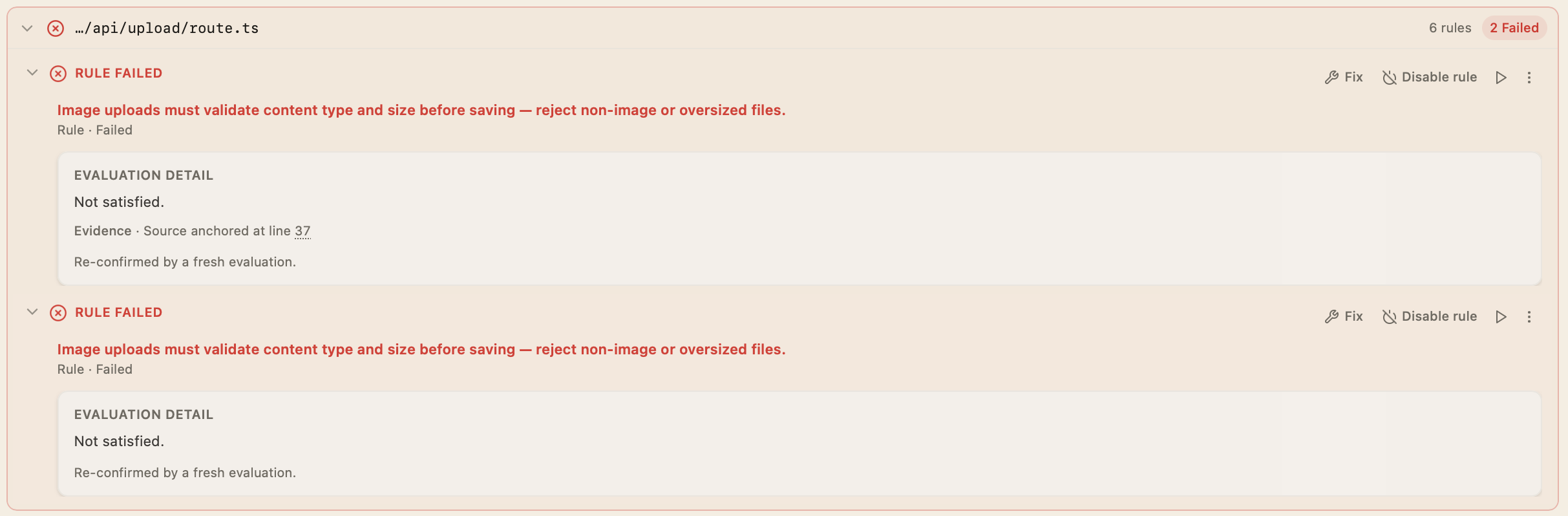
See exactly what broke
Open a failure and you get the function, the rule, what happened instead, where, and which callers are affected, with the evidence behind it.
Where they’re set up, verification can also run your tests, builds, and type checks, load frontend changes in a browser, and compare screenshots against a reference image.
04
Compare with the baseline
Every result is compared with the codebase before the change, so failures that were already there stay labeled pre-existing, and you only chase what this change broke.
05
Fix it, or fix the rule
If the code is wrong, fix it yourself or ask Panolayer Agent to, with the failure and its affected callers as context. If the rule is wrong, correct it. Either way, the result is verified again.
An agent can’t merge its own work into your branch without your approval. Marketplace agents run in a container with no path to your main tree. CLI agents on your Mac are held by instruction. You can always commit, and merge an agent’s work, even when checks fail.
More on BuildQuestions
What is a rule?
An expectation about how a piece of code should behave, like “returns a user or raises, never null.” Panolayer derives most rules from your code, and you can add your own. Rules persist and run on every change.
Can I write my own rules?
Yes. You can add your own rules alongside the ones Panolayer derives from your code.
What happens when a rule is wrong?
Correct it. The correction is kept, and future verification on that repository reflects it.
How fast is verification?
Results come back in seconds, so you can check, fix, and check again without leaving the task.
When does verification run?
When you save a file on your branch, and when an agent says its task is done.
Is my code sent to a model?
Your repository and Panolayer’s index of it stay on your Mac unless you sync or share them. Features that use a model send the relevant code excerpts and prompts to the provider you’ve configured, under that provider’s terms.
More on the Security pageDoes it block my merge?
It holds agents, not you. An agent can’t merge its own work into your branch without your approval. You can always commit and merge.